

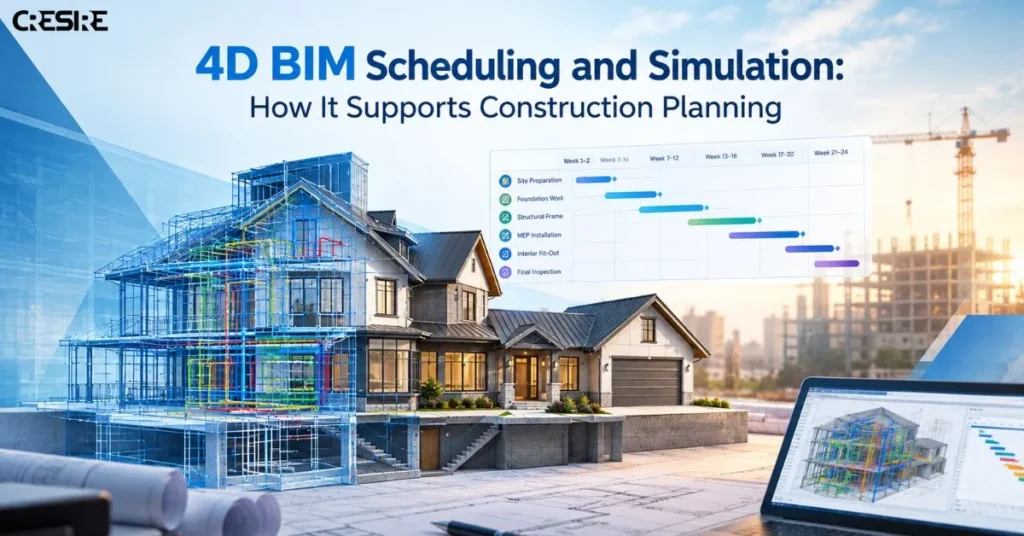
Construction schedules are usually presented as lists, dates, activities, and dependencies. A 3D BIM model, on the other hand, shows what the project will look like spatially. 4D BIM Scheduling and Simulation links the two approaches, as it associates construction processes with the objects in the model and illustrates the anticipated development process of the project.
It provides an opportunity for the project team to see the construction processes visually before they actually happen. Instead of looking at a programme separately from the model, planners, contractors, BIM teams, and other stakeholders can examine when and where specific work is expected to happen.
What Is 4D BIM?
4D BIM is the integration of time or construction schedule information with a 3D BIM model. This approach supports BIM construction scheduling by linking model elements with activities in the construction programme.
For example, a structural model can be linked to activities for foundations, columns, slabs, and other structural work. MEP elements can then be connected to their installation activities. When the schedule is simulated, the team can see how these activities are expected to progress through the building.
The value is not simply the visual animation. The model and schedule need to reflect a logical construction sequence that the project team can review and adjust.
How Does 4D BIM Scheduling and Simulation Work?
A typical workflow starts with a suitable 3D model and a construction programme. BIM construction scheduling helps connect planned activities, durations, dependencies, and milestones with the relevant model elements. The schedule is reviewed to understand activities, durations, dependencies, work packages, and milestones. This provides a structured foundation for BIM construction planning and 4D simulation.
The relevant model elements are then linked to corresponding schedule activities.Once these relationships are established, the project team can run a construction simulation to review the sequence and understand how different activities are expected to progress over time.
A simplified workflow looks like this:

The process may be repeated as the design, programme, or construction strategy changes.
This is important because a schedule can appear logical when viewed as a list but reveal practical problems when its activities are viewed spatially.
What Are the Main Benefits of 4D BIM?
1. Better Construction Sequencing
Construction rarely happens as a series of isolated activities. One trade often depends on another completing work first.
4D BIM allows teams to review these relationships visually. For example, a contractor can examine whether structural work is sufficiently advanced before MEP installation begins on a particular floor.
Alternative sequences can also be reviewed before the work reaches the site. If changing the order of activities provides better access or reduces interference between trades, the programme can be adjusted before those activities are carried out.
2. Better Time and Space Coordination
Some construction problems are not traditional clashes between physical objects. Two activities may use the same area at different stages of the project, creating a time-and-space conflict.
Consider a floor where one team needs access for MEP installation while another activity is scheduled to occupy the same area. A 4D simulation can make this overlap easier to identify.
The same principle can apply to:
- Material delivery routes
- Crane operations
- Temporary access
- Scaffolding
- Equipment movement
- Work zones
- Multiple trades working in the same area
This gives the team another way to examine constructability beyond the geometry of the 3D model.
3. Improved Site Logistics Planning
Site logistics can become difficult when several activities compete for limited space. Materials need to arrive at the right time, equipment needs access, and temporary facilities may need to move as construction progresses.
A 4D model can help visualize these conditions alongside the construction programme. Teams can review whether a planned access route remains available, whether material storage interferes with upcoming work, or whether a temporary arrangement needs to change before another phase begins.
This does not replace a detailed logistics plan. It provides a visual environment in which the planned sequence and site conditions can be reviewed together.
4. Progress Tracking and Schedule Review
4D BIM could also be used in planned versus actual progress analysis.
The base line programme contains the planned data, while the update contains data on what has occurred in reality. By linking the model to the schedule, teams will be able to view the visualized sequencing and realize where the activities lie: behind the planned, on time or ahead of the planned.
When there is a lag in an activity, teams may analyze its effect on subsequent activities.
5. Clearer Communication Between Project Teams
Construction programmes can be difficult for people outside the planning team to interpret. A visual sequence can make planned activities easier to understand during coordination meetings and progress reviews.
A project manager may use it to discuss milestones. A contractor can review work areas and sequencing. Design and BIM teams can examine how design information relates to upcoming construction activities.
The same model can therefore provide a common visual reference without requiring every stakeholder to interpret a detailed programme in the same way.
What Information Is Needed for a 4D BIM Workflow?
A useful 4D workflow generally requires more than a 3D model.
Depending on the project, inputs may include:
- A coordinated BIM model
- Construction schedule
- Activities and durations
- Start and finish dates
- Activity dependencies
- Work packages
- Construction phases
- Milestones
- Location or zone information
- Relevant site logistics information
The quality of the simulation depends on how well these inputs are structured and connected. A visually impressive animation is of limited value if the schedule is incomplete or the model elements are not correctly associated with construction activities.
What Software Is Used for 4D BIM?
Different projects use different combinations of BIM and scheduling tools.
Revit and other BIM authoring platforms can provide the building model. Scheduling platforms such as Primavera P6 or Microsoft Project can provide programme information. Tools such as Autodesk Navisworks can then be used to connect model elements with schedule activities and simulate construction sequences.
The schedule, model construction, activity allocation, and decisions made by the project team are still significant.
4D BIM vs. Construction Animation
A construction animation and a 4D BIM simulation are not necessarily the same thing.
An animation can show how a building appears to develop over time for presentation purposes. A 4D BIM workflow connects model elements to construction activities and uses schedule information to represent the planned sequence.
That distinction matters. The purpose of 4D BIM is not simply to create a visually attractive video. It is to support construction planning, sequencing, coordination, and schedule review.
When Is 4D BIM Most Useful?
4D BIM can be particularly useful when a project has complex sequencing, restricted access, multiple trades, phased construction, significant MEP work, temporary structures, or demanding site logistics.
BIM construction planning can also be useful when project teams need to explain a complicated programme visually or compare alternative construction sequences before committing to one approach.
For projects that require additional modeling and scheduling support, CRESIRE provides 4D BIM scheduling and construction simulation services to support model-based construction planning and coordination.
Final Takeaway
4D BIM is more than adding movement to a 3D model. Its practical value comes from connecting what is being built, where it is being built, and when it is planned to happen.
When the model and construction programme are properly coordinated, project teams can review sequencing, site logistics, work-area conflicts, progress, and alternative construction strategies before or during execution. The result is a more visual way to understand the programme and make informed planning decisions.
Frequently Asked Questions - FAQs
1. What is the main purpose of 4D BIM?
The main purpose is to connect a 3D BIM model with construction schedule information so teams can visualize, review, and coordinate the planned construction sequence over time.
2. Does 4D BIM replace a construction schedule?
No. The 4D model works in conjunction with the construction schedule but does not replace it. The construction schedule forms the foundation of the activities, dates, durations, and dependencies.
3. Can 4D BIM help with construction delays?
It enables the team to understand the impact of the changes made in the schedule and analyze further activities, although it does not automatically eliminate construction delays.
4. Is 4D BIM useful for MEP installation?
Yes. MEP installation can be linked to construction activities so teams can review when services are planned to be installed in relation to structural, architectural, and other work.
NDA available